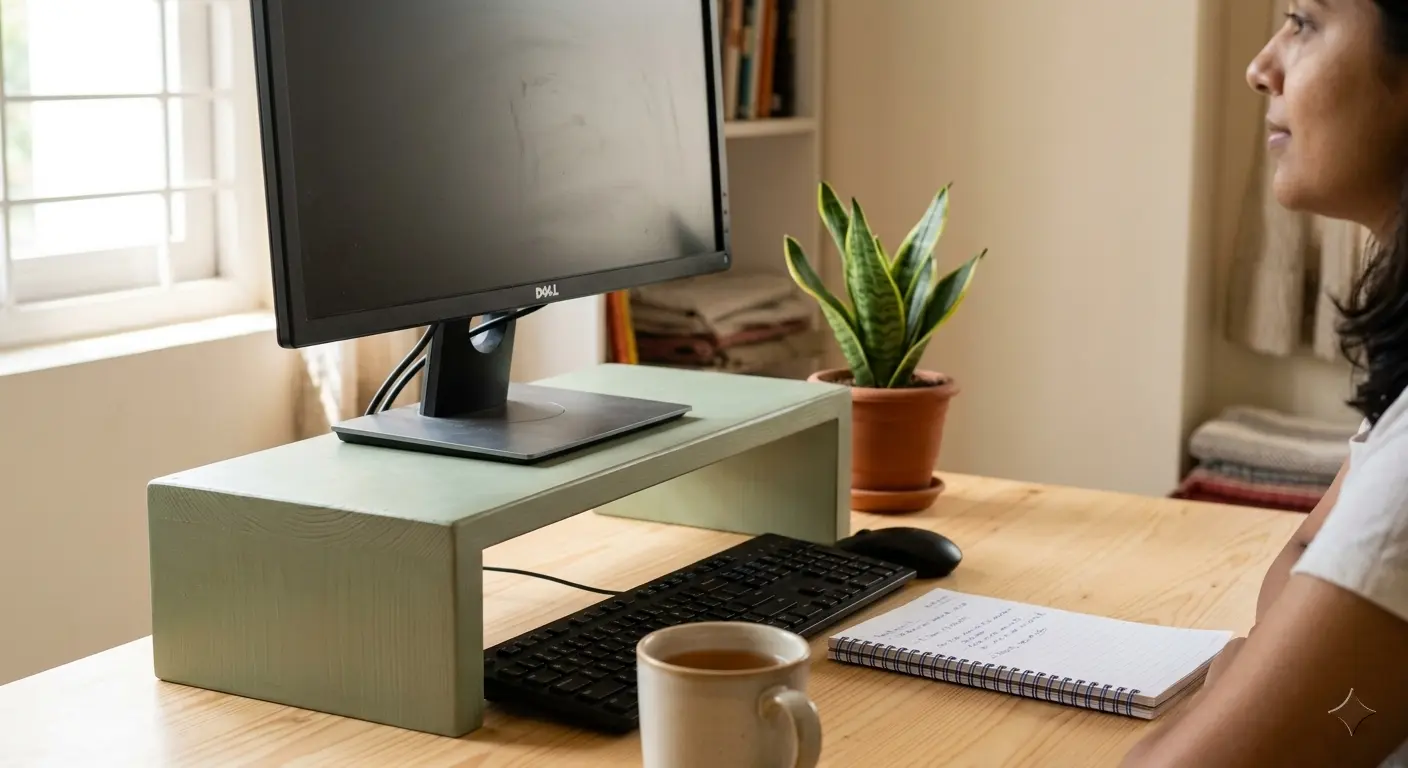
Quick answer
To set your monitor height at home, position the screen so your eyes are roughly level with the upper portion of the display. Your head should stay in a neutral position instead of constantly tilting up or down.
If your monitor is too low, you may spend hours looking downward. If it is too high, you may raise your chin or strain your neck. The goal is a comfortable position that lets you look at the screen without repeatedly bending your neck.
Step 1
Find the right monitor height
Start by sitting in your normal working position. Adjust your chair first so your feet are supported and your arms can rest comfortably while typing.
Now look straight ahead at your monitor. The upper portion of the screen should be around your eye level or slightly below it. You should not need to lift your chin to see the top of the display.
The exact position will vary depending on your height, monitor size, viewing distance, and personal comfort. Ergonomics is not about forcing everyone into one exact measurement.
Sit normally and look straight ahead. If you naturally look slightly downward toward the middle of the screen without bending your neck, your monitor position is probably close to where it should be.
Step 2
Check your screen viewing position
Monitor height is only one part of a comfortable desk setup. You should also check how far the screen is from your face and whether you are leaning forward to read it.
Keep the screen at a comfortable distance
Place your monitor far enough away that you can read normal text without leaning toward the screen. If you repeatedly move your head closer to read, consider increasing the text size or adjusting your display settings.
Keep your head neutral
Your head should feel balanced over your shoulders. You should not have to push your head forward or repeatedly look down while working.
This becomes especially important during long study, programming, writing, and remote-work sessions.
Step 3
How to raise a monitor without buying a stand
You do not necessarily need a dedicated monitor stand to improve your screen height. Before buying new equipment, look around your home for a stable solution.
Try a stable stack of books
A few sturdy books can raise a monitor by several centimetres. Make sure the stack is stable, level, and wide enough to support the monitor safely.
Use a solid platform
A strong shelf, wooden platform, or other stable surface can also work. Avoid unstable objects that could tip over when you adjust your screen.
Adjust your chair before adding height
Sometimes the monitor is not actually the main problem. Your chair height may be causing you to sit too low. Check your seating position before adding several layers under the monitor.
Try adjusting your chair and using a safe household platform before purchasing another desk accessory. An ergonomic setup does not have to start with a shopping list.
Avoid these
Common monitor height mistakes
Even a good monitor can become uncomfortable when it is positioned incorrectly. Watch for these common problems.
- Monitor too low: You constantly look downward while working.
- Monitor too high: You raise your chin or feel tension around your neck.
- Screen too far away: You lean forward to read smaller text.
- Screen too close: You may feel uncomfortable focusing on the display for long periods.
- Ignoring text size: You move closer to the screen instead of increasing the size of difficult-to-read content.
Laptop users
What about laptop screens?
Laptops create a common ergonomic compromise because the keyboard and screen are attached to each other. Raising the screen to eye level can make the built-in keyboard uncomfortable to use.
For longer work sessions, consider raising the laptop screen and using a separate keyboard and mouse if you already have them.
If you want a completely free approach first, read our guide on how to raise your laptop screen without buying a stand .
Keep improving
Build a more comfortable desk setup
Monitor height is just one part of an ergonomic workspace. Once your screen position is comfortable, look at your desk height, laptop position, and standing options.
Next step
Build your complete ergonomic setup
Start with the adjustments you can make for free, then upgrade the parts of your workspace that actually need improvement.