Quick answer
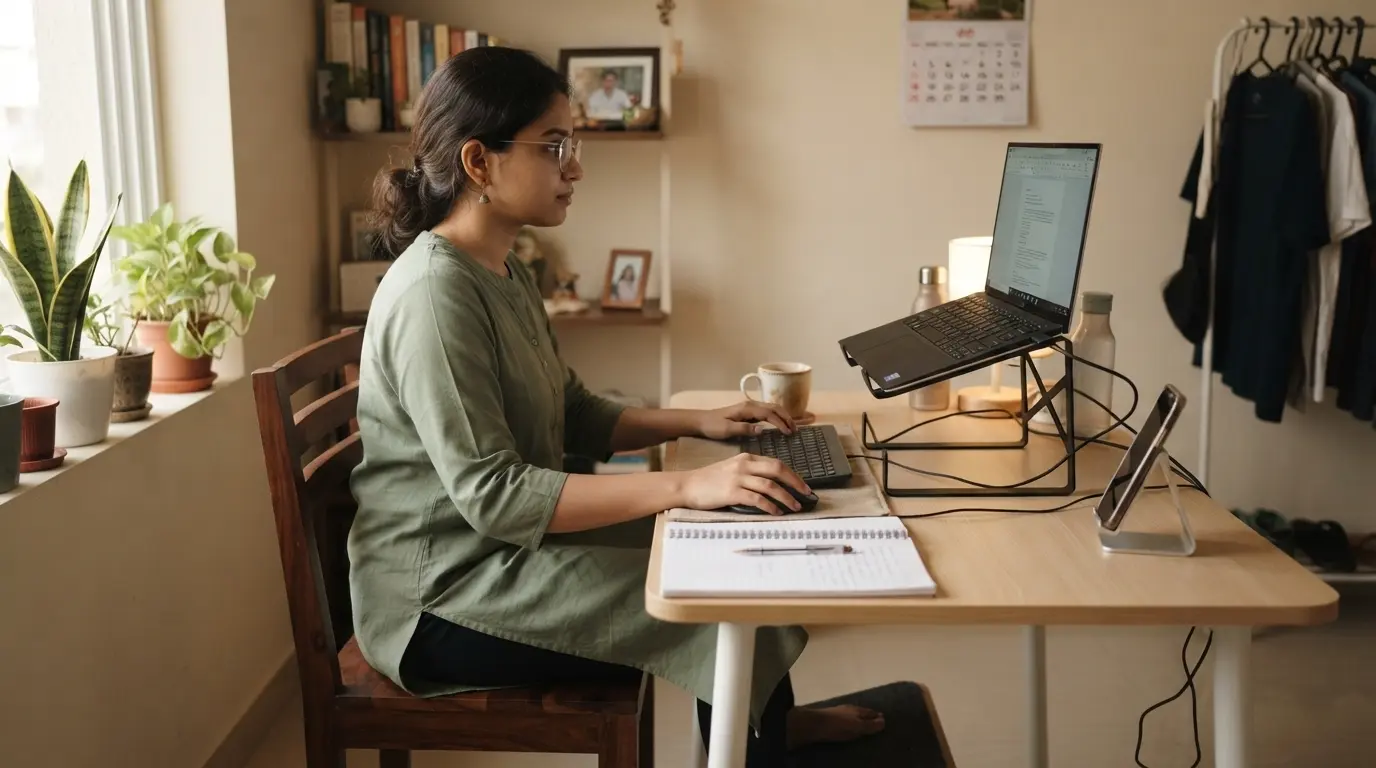
To raise your laptop screen without buying a stand, place the laptop on a stable, flat surface such as a few sturdy books, a storage box, or another solid platform. Raise the screen enough that you can work without constantly bending your neck downward.
If you use the laptop for long periods, pair the raised screen with a separate keyboard and mouse whenever possible. This lets you position the screen higher without forcing your hands and wrists into an uncomfortable position.
In this guide
Step 1
Why raise your laptop screen?
A laptop is designed to keep the screen and keyboard connected. That makes it convenient, but it can also encourage you to look downward while working.
Raising the screen can make it easier to maintain a more upright viewing position. The goal is not to force your head into one exact position. Instead, aim for a comfortable setup where you are not repeatedly bending your neck to see the display.
Sit in your normal working position and look straight ahead. If your laptop screen is very low compared with your natural viewing position, try raising it gradually.
DIY option
Use books to raise your laptop
One of the easiest ways to raise a laptop screen without buying a stand is to use books you already have at home.
- Choose two or more sturdy books with similar dimensions.
- Place them on a stable section of your desk.
- Stack them carefully so the surface remains level and stable.
- Place your laptop on top and check the screen height from your normal sitting position.
- Adjust the height gradually until the screen feels comfortable to view.
Avoid using a stack that feels unstable or rocks when you type. The goal is a reliable platform, not simply the highest possible screen position.
More DIY ideas
Other household alternatives
Books are not your only option. Look around your workspace for something strong, flat and stable that can safely support the laptop.
- A sturdy storage box
- A solid organizer
- A strong flat container
- A small stable platform already on your desk
Whatever you use, make sure the laptop cannot easily slide or tip over. Avoid soft surfaces that can block ventilation or unstable objects that can move during normal use.
Important
Keep your keyboard and mouse comfortable
Raising the laptop creates an important trade-off: the screen becomes easier to view, but the built-in keyboard also moves higher.
For longer work sessions, a separate keyboard and mouse can solve this problem. You can keep the laptop screen raised while positioning your hands lower on the desk.
You do not have to upgrade everything at once. Start by raising the screen with items you already own. Add an external keyboard or mouse later if your workload makes it worthwhile.
Avoid these
Common mistakes to avoid
- Making the stack unstable: A higher screen is not useful if the laptop can easily fall or slide.
- Blocking ventilation: Avoid soft materials or surfaces that interfere with the laptop's cooling.
- Raising the screen too much: More height is not automatically better. Adjust the setup based on your actual viewing position.
- Ignoring the keyboard: A raised laptop can put the built-in keyboard higher than is comfortable for longer sessions.
- Copying someone else's setup exactly: Your desk, chair and body position are different. Make small adjustments and judge the result from your own working position.
Budget setup
A simple budget laptop setup
You can create a more comfortable laptop workstation without buying everything at once.
- Raise the laptop using sturdy books or another stable household platform.
- Check the screen from your normal sitting position.
- Keep the laptop stable and make sure ventilation is not blocked.
- Add a separate keyboard and mouse if the raised laptop keyboard becomes uncomfortable.
- Make further upgrades only where they solve an actual problem in your workspace.
This approach follows the basic ErgoStarter principle: fix your position first, use what you already have, and upgrade where it matters.
Keep learning
Related ergonomic guides
Once your laptop screen is at a better height, these guides can help you improve the rest of your workspace.
Build your setup
Want to improve your whole desk?
Start with the complete ErgoStarter guide for a practical, budget-friendly ergonomic workspace.